
 Warranty Check
 Wisenet Device Manager
 Accessory Mount Selector
 Wisenet WAVE System Calculator
 Wisenet Tools
 Cybersecurity
 Installation Simulator
 Technology Partners
 Learning Center
Applies to: Analog cameras
Summary
Wisenet HD+ cameras display video in the AHD format to achieve 1080p resolution. This article provides instructions for connecting the camera to a NTSC analog video device.
Connecting to a NTSC Analog Video Device
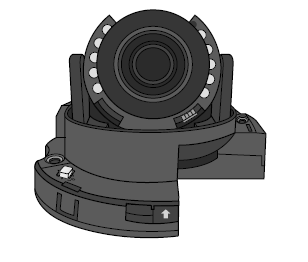
When connecting to a standard NTSC analog video device for initial installation, aiming, and focusing, press and hold the camera Function Setup switch for more than 5 seconds. To switch back to AHD, press and hold the camera Function Setup switch again for more than 5 seconds.
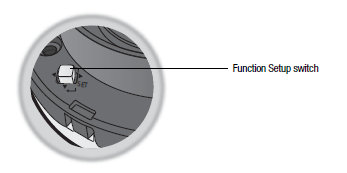
NOTE: If your camera has more than two formats, you will need to push and hold the
Function Setup switch to scroll through the available formats.